EL Teachers Can! Let’s Engineer the Bridge to Computer Science – #WIDA2024

Meet Yonathan. He’s an extremely motivated, funny newcomer from Honduras. His journey to Virginia has landed him in room 207 with me. “Why haven’t you updated my attendance, yet Ms. Sawyer? I turned in the absence note.” He’ll comment on other students, “why aren’t they doing more? I am.” His sense of justice is firmly developed and his sense of accountability, strong.

What does he need from me, his high school English language development teacher? Well, there’s the obvious. He needs to learn English and content so he can make progress in his pathway to graduation and an education. Let’s reference WIDA’s big ideas: he needs equity of opportunity, content integrated instruction, collaboration among stakeholders, and a functional language approach.

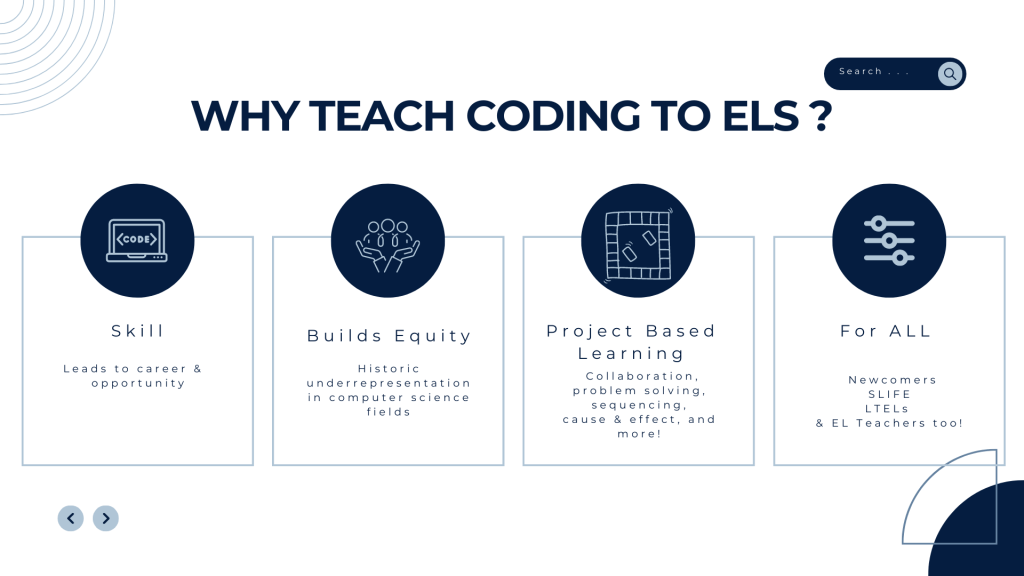
We EL teachers often think about equitable grading practices and scaffolds to meaningful access to core curriculum. However, we should also turn our attention to equitable access to computer science as a discipline. Computer Science and artificial intelligence/ machine learning are here to stay. I’d add, as our world is increasingly becoming interconnected and computationalized, EL students must have access.

Historically, our students have been shut out of computer science, yet “the demand for skilled technical professionals is expected to exponentially grow over the next decade, with many of those jobs focused on emerging technologies. Despite an estimated 78% of net new workers between 2020 and 2030 being Latine, they are being systematically shut out of opportunities to develop new digital and technological skills to keep pace with advancements”(Kapor Foundation). Solutions for inclusion must be identified to create a “more equitable technology ecosystem” that includes the assets, identities, and perspectives of the Latino community (Kapor Foundation). If our students are not, computer science will fail to address their linguistic and cultural values and needs. Technology reflects its creators and their data. Technology–when biased, can be devastating. Datasets must be inclusive and diverse.

Can we be a solution for inclusion? YES! EL teachers are an untapped resource. Often the first layer of community for our ELs and further, we operate with a crosscurricular mindset. We can be a solution. We can forge a pathway so our students have a meaningful to computer science curriculum and the opportunities it leads to.

“But my background is language–not computer science. Is this for me?” Computer science is not for the nerds, the old wealthy entrepreneur, mathy types, those who want to earn big money. It’s for us and our students, newcomer, MLs, SLIFE, Experienced MLs, Former MLs, because it’s for everybody.

Steve Jobs said, “Everybody in this country should learn computer science. It teaches us how to think.”

For everybody? “Everybody” includes us as teachers. “Everybody” includes our students. Note how he claims, it’s like a liberal art. Wait–so it’s like music, the arts, literature! It’s not just the ‘T’ in STEM. It dips into content across the curriculum.

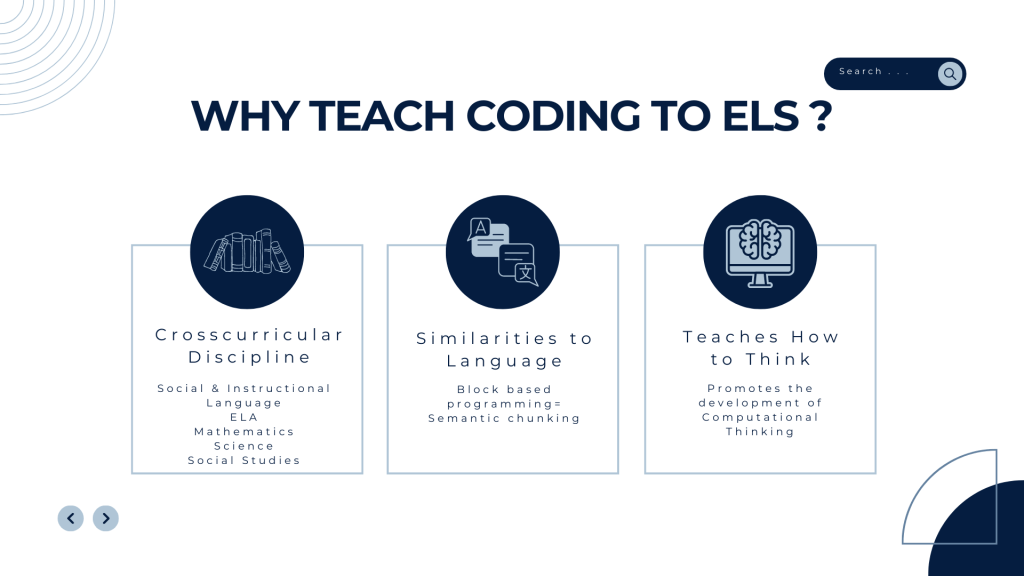
Are we adding another standard? Are we adding “one more thing?” No! We know what promising practices are for ELs, we know that language and literacy development should happen simultaneously, across the content areas. Content as the context for language learning is essential. And for SLIFE students? Critical. Academic skills and content that both bridges gaps in knowledge and provides opportunities for functional language is key to providing equity of opportunity and access (WIDA Focus Bulletin on SLIFE 2015). And computer science, like language IS crosscurricular and can be integrated across the curriculum.

Computer science, like language, is crosscurricular!

(If I were to make a proposal to WIDA, it would be to promote CS integration in ELD with this graphic.)

With increased access, increased foundational knowledge, increased exposure, our culturally & linguistically diverse students who have been historically underserved and underrepresented in this field can participate fully in its creative possibilities and the career opportunities that result. And we can expand on our role as equity builders. EL teachers can! Let’s engineer the bridge to computer science.

Spend just 5 minutes exploring a coding platform and examine opportunities for functional English language development.See what sparks fly! Use the Lesson Spark! ✨ tool below to record your notes for future integration.


Coding is for all! For primary ESL students, too!

My current lane is secondary ESL, however my first experience in preK-12 was in the primary grades. My National Board Certification is in English as a New Language (ages 3-12) and I spent 9 years teaching primary with a focus on sweet ESL students ages 4-5. To renew my original certification, I crafted a coding lesson for a group of “borrowed” students at the local primary school. Here are the slides that I created to support my lesson. Feel free to use them!

When I observed prior to teaching the guest lesson, I saw that the students were reviewing life cycles—YES! There’s an opportunity for sequencing! Perfect. What subject matter? Animals? Plants?

Corn! A big lump with knobs, it’s got the juice! No–that viral Tiktok video came out a year later. I had a better hook.

I pulled the kids into the lesson with a big bag of Maseca, which has a picture of corn on the front. Maseca is corn flour, primarily used by my hispanic families to make tortillas. In fact, they will often call corn flour by it’s company name, just as in English a person will say, do you have a Kleenex meaning facial tissue, they will say I bought Maseca, meaning, corn flour.

Maseca!

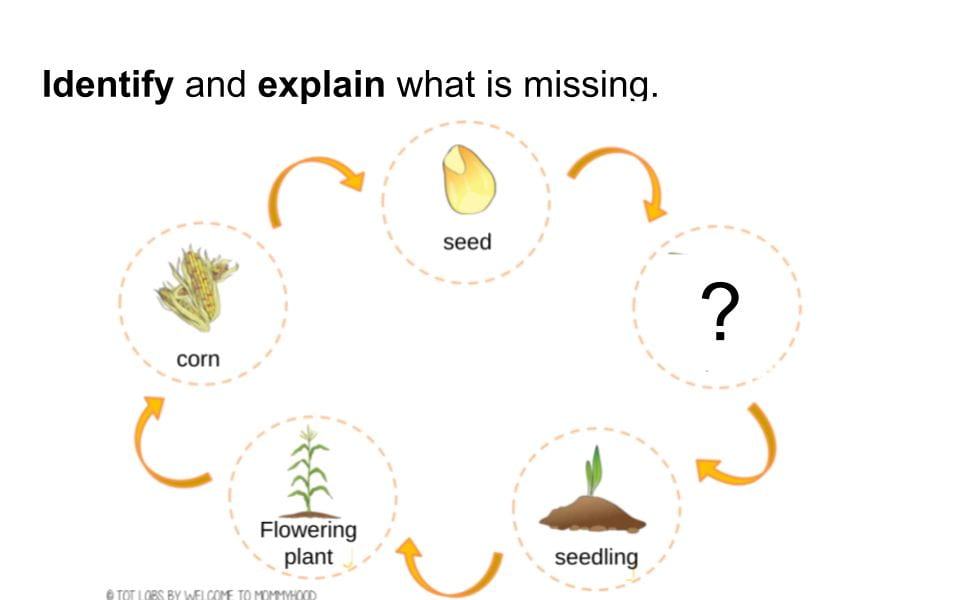
I then taught the life cycle of corn with beautiful images by Mommyhood Montessori Learning, purchase yours from her store on teacherspayteachers here.

In this lesson, I focused on the skill of debugging, that is, problem solving. For English language support, I taught the students to first identify what was missing and then, explain where it belongs. These students were Level 2 students and needed opportunities to extend their discourse. Explaining is one of WIDA’s Key Language Uses, it’s a prominent use of language across the curriculum as we see here in the Language of Science Standard and also, I’d add, the language of computer science.

Each student identified what was missing then we explained in chorus, “______ is missing! It is not where it belongs. It belongs after the ______.” See one of the five images on missing stages below.

The sprout is missing! It is not where it belongs. It belongs after the seed!

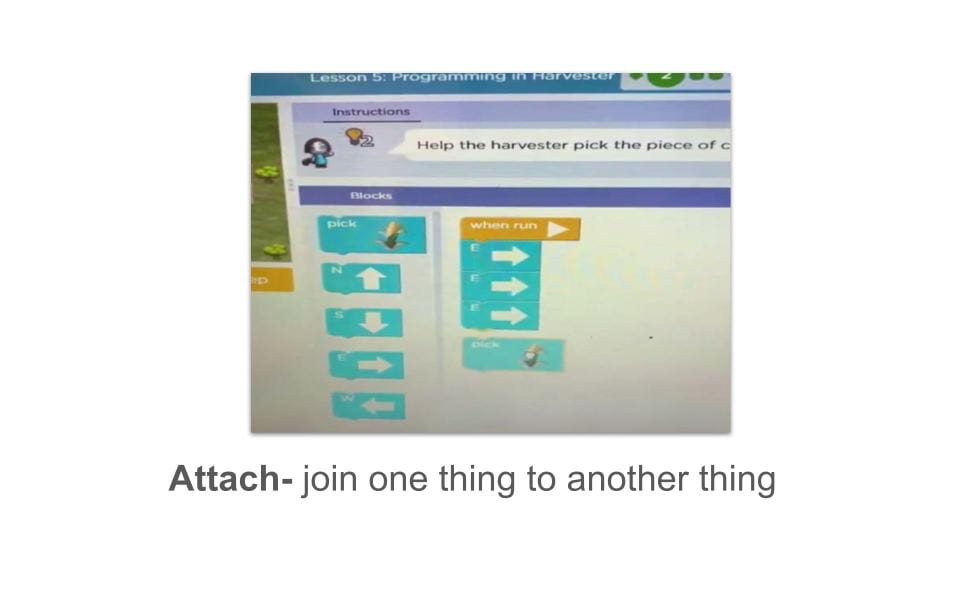
After the students practiced verbally identifying and explaining, we moved into the coding portion of the lesson. At what stage does the Harvester pick the corn? When it is ripe. I took them to Code.org’s free PreReader Express curriculum and introduced them to Lesson 5: “Programming the Harvester,” the students would program the harvester to pick the ripe corn.

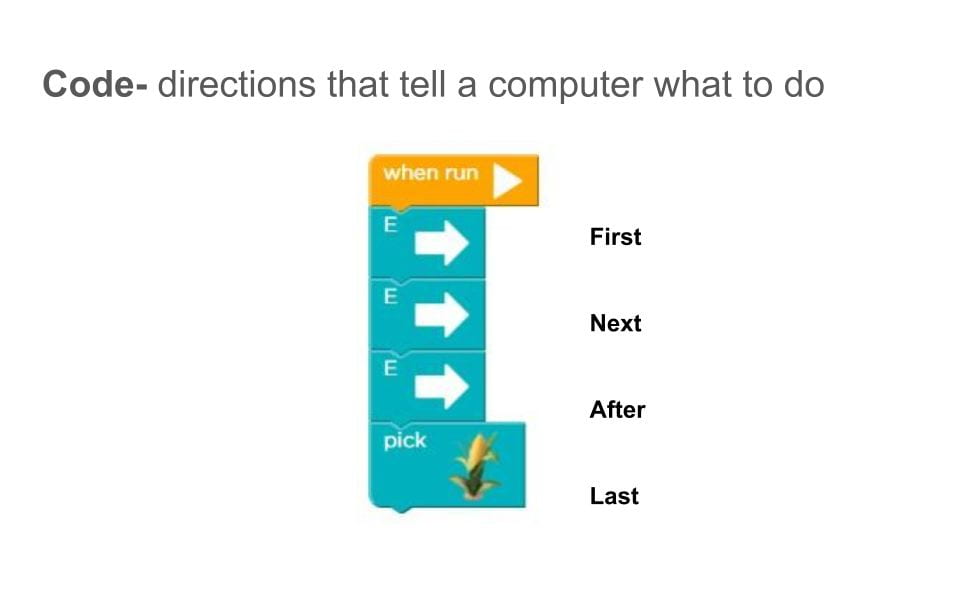
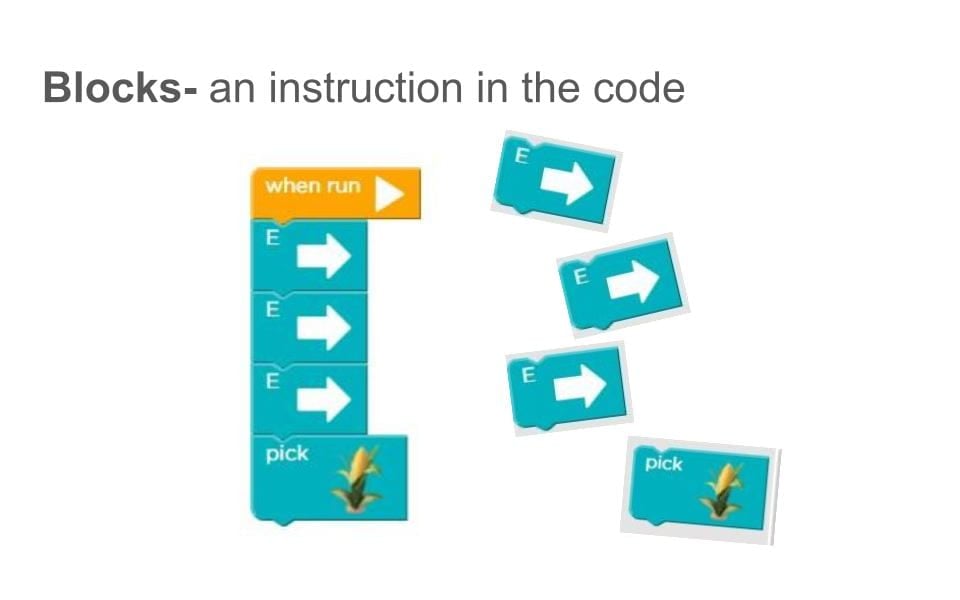
Now these primary EL students had practice problem solving, they simply needed some simple, explicit vocabulary instruction before we watched the tutorial. We learned code, blocks, and attach.

Next, Code.org’s tutorial on the Harvester:

Result? The students were more than prepared! Using the same language that we used with the life cycle activity, when they encountered a bug (CS for an error), they identified what block was missing, explained that it was not where it belonged, and solved the problem, “It belongs after the ____ (in the code!).”

The students identified and explained in two contexts–the life cycle activity and coding. The coding reinforced the WIDA Key Language Use, explaining. Students learned the Language of Science and had an introduction on how to code!

Upon reflection, my one piece of advice would be to split this into two 30 minute lessons. I fit it all into one, and we would have loved more time to code! If you’re a primary ESL teacher, try this lesson out, and let me know how it goes!

The World Cup & Tynker’s Coding Cup!

For the first and only time ever, the FIFA World Cup occurs during the school year. Usually held in the summer, the heat of the host country Qatar had FIFA move the soccer tournament to the early winter for its balmy 85-90 degree days. In the summer, temps reach a scorching 120 degrees!

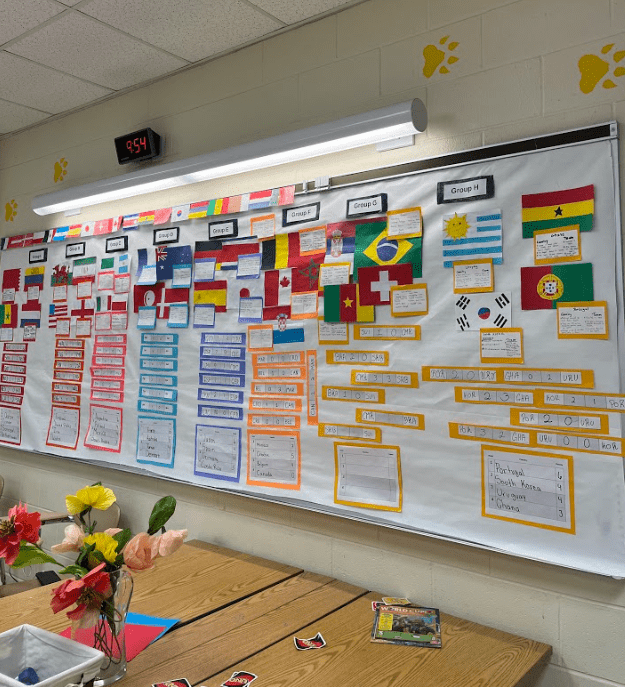
This makes for a lot of passion in the classroom! But where there’s excitement, there’s opportunity. It’s been a springboard for a thematic unit where we have explored symbolism of flags, geography, politics, predictions & justification, competition, idioms, surveys, data, graphs, and more.

Tracking the Group Stage!

As we approached #CSEdWeek2022 and #HourofCode during our unit, Tynker.com promoted its Coding Cup by BYJU. Sounded like a great extension and an opportunity to revisit coding!

Explicit vocabulary instruction first! To support my students, I taught & reviewed some key terms in a Quizlet set.

They included soccer vocabulary: players, jersey, to train, to be on defense, striker, goalie and also CS subject & process vocabulary: strategy, evaluate, loop, command, upgrade, conditional logic. Students repeat the vocabulary 3x. We identify its equivalent in Spanish, discuss its definition with a visual, and sometimes, an example turns out a laugh–A loop is like what I see some of you doing in the hallway on a bathroom pass! I see you walk around and around and around over and over again!

To warm up, we loved the Kahoot! World Cup sponsored by Tynker. Even the most diehard futball fans had to think about the regulation size of a soccer ball and the sequential order of the last 4 World Cup hosts–I mean, were they even born 12 years ago in 2010 when South Africa hosted? Well, done.

Creating the team and designing the jerseys was a win–“I’m going to make Honduras!” I overheard.

Next, the training. The students coded their players moves in the training modules. They would have enjoyed being able to challenge each other to a match, not be relegated to play against random teams, but it was still highly enjoyable. I know, though, if they had that option, they would never stop coding!

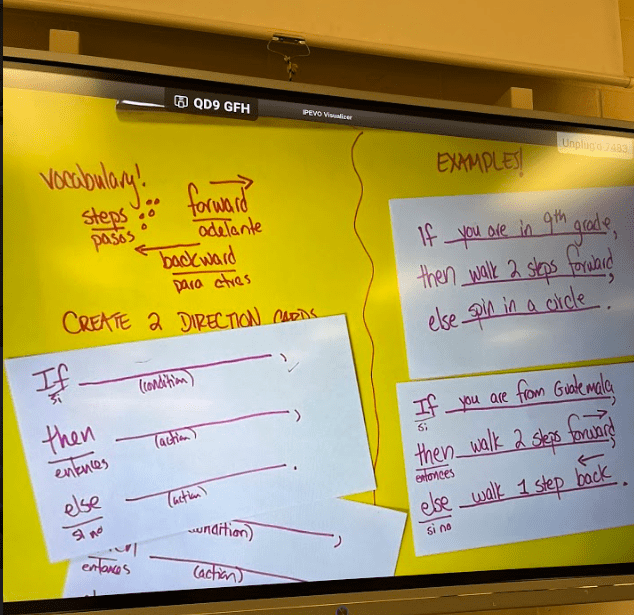
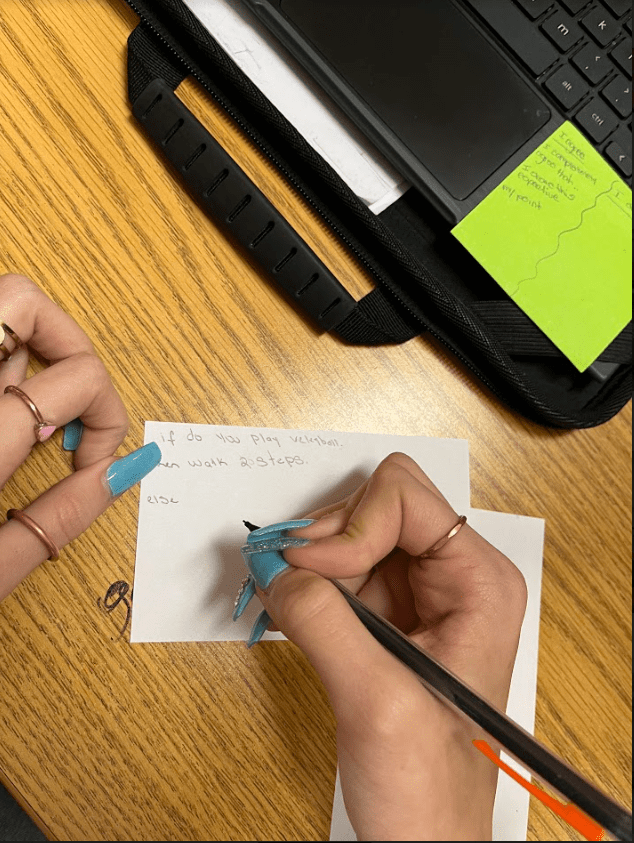
We ran out of time so we extended our hour of code into the next class. I fronted the next lesson with an unplugged activity to explain the concept of conditionals. I had the students prepare a game in the mode of the classic children’s movement game red light/ green light. Each student wrote two direction cards for the game following the sentence frame “If_______, then_______, otherwise (else)_______.” Most questions written were strategic! “If you have a bird as a pet, take two steps forward, otherwise take zero steps.” Then they lined up and followed the directions as I read the directions.

Support includes vocabulary, sentence frames, translation, and examples!
Students writing & preparing the game!

This eased my students into manipulating conditionals again. Now there was a more solid understanding of what a conditional required, e.g., If I have the ball, then shoot. Else (Otherwise) move to the ball.

What I would have loved to see would be to be given access to the analytics without a paid prescription, so I could centralize tracking my student’s progress through the modules. Code.org offers theirs free, so I was really left wanting. No doubt it would be great to have a paid account! I’d explore Tynker’s Coding Cup with my students again–sooner than 4 years from now when there’s the 2026 World Cup!

“I think everybody in this country should learn how to program… it teaches you how to think,” Steve Jobs.

The first line hear grabbed me. ML teachers, we teach the everybody in this country. We are know where to begin. We are the resource. We are the first hello.

The second line hooked me. I thought I knew how to think? Is thinking something I can be taught? Are there different ways of thinking and what different modality of thinking does coding teach? And how can this benefit my everybody-my language learners. Watch:

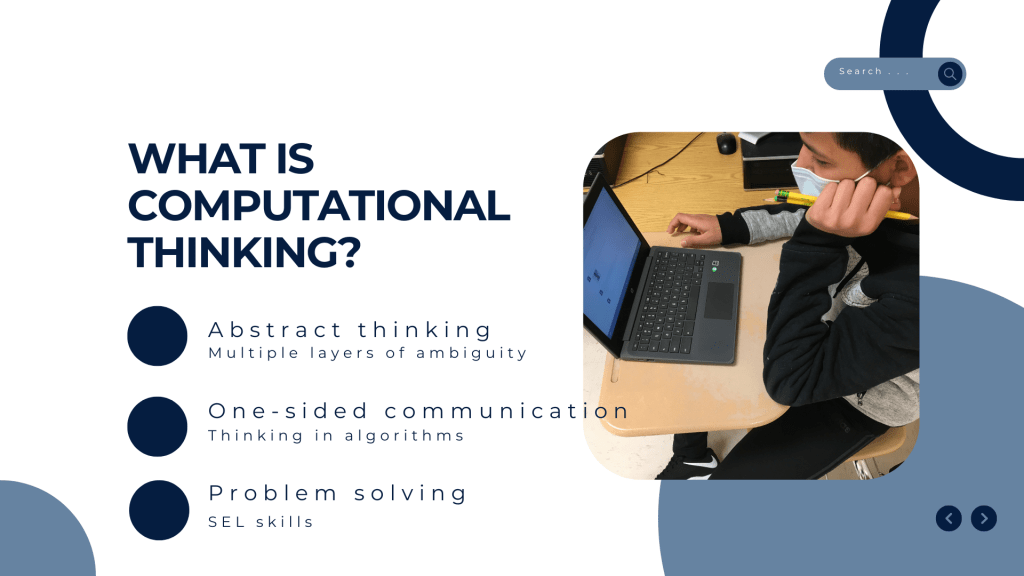
This mode of thinking has been hard to capture. It is now referred to as “Computational thinking,” but that may be a little off-putting because it seems like it could be “Thinking like a computer,” which… it is… but thinking like a computer is only a fraction of what computational thinking entails and what it can do for our students if taught and put in practice.

So what is computational thinking? How are these aspects similar to or just different enough to the language learning process that this can help my language learners? Look for posts that address each of these. What connections are you making with language instruction? Do you see overlap and opportunity yet?

This discussion will be informed by Jacob, Sharin & Nguyen, Ha & Tofel-Grehl, Colby & Richardson, Debra & Warschauer, Mark. (2018). Teaching Computational Thinking to English Learners.

Why should EL teachers integrate coding in their English instruction?

Since beginning my journey on integrating introductory CS in my ELD instruction, the reasons of why EL teachers can, should, (need to?) to integrate coding in their instruction have grown. And with each project, another reason pops up and waves its hands, “Hey, you forgot about me!” I am digging into each, then exploring how.

A participant at my #SETESOL2022 presentation added, coding provides immediate feedback. And my daughter has scrutinized this list and said, “Mom! It’s fun!!

What would you add?

Block Based Coding and the Language Learner’s Brain

There are different computer programming languages, Block Based Programming, Python, Java Script, C++ and more.

For beginners and language learners–our target group of learners–Block Based Programming is widely used.

I love Block Based Programming, particularly for EL students. Here’s why:

Language is learned chunks and collocations. Lewis (1997) in The Lexical Approach lists formulaic expressions:

  • Sentence Starters – Today I will ______.
  • Phrasal Verbs – to break down, to get over
  • Expressions – You’re kidding me!
  • Idioms – to have a hard time of it
  • Formulaic expressions and more. I’ve got it!

Block Based Programming capitalizes on this natural way the brain learns vocabulary and phrases. Directions/ lines of code are chunked, a boon for the language learner, showing a more complete picture of language in use-a word hanging out with its other word friends.

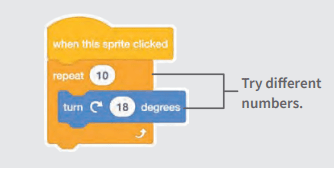
Scratch Tutorial on Turning a Sprite (A Character).

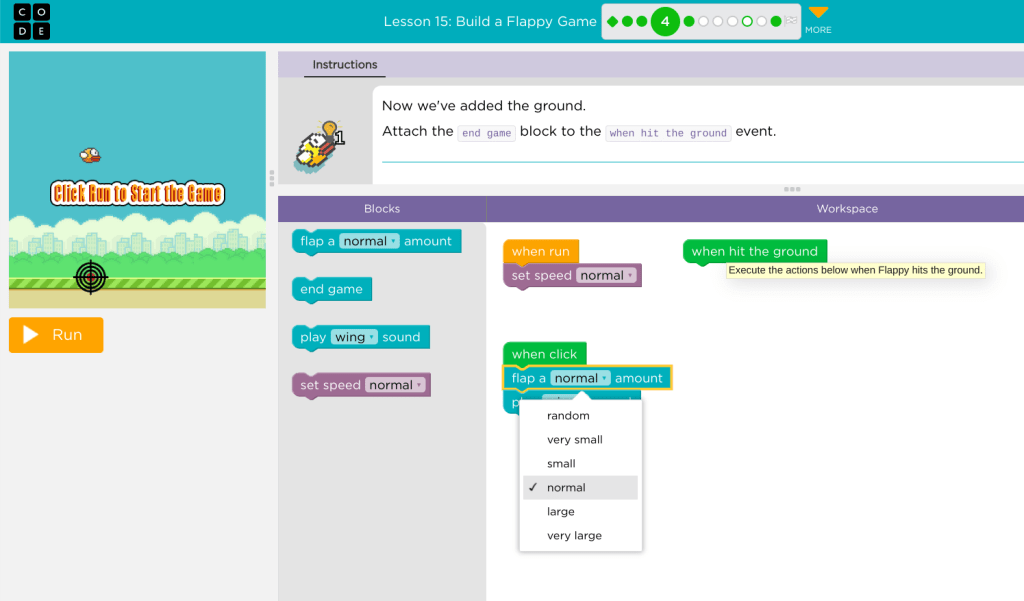
Blocks also include input parameters- places where you can change the number, direction word, sequence, or sound for example. This shows the language learner the flexibility of the language and what types of similar words in the same semantic category could replace the word. Bonus: note below the gradiency that the student is introduced to here.

Drop down menu from Build a Flappy Bird Game in Code.org

Get started!: MIT designed created a free coding platform Scratch for students to create digital stories, games, and animations. Also, Code.org utilizes block based programming.

Read more from about Chunking & Collocations in this Cambridge.org article. Learning Language in Chunks.

Repeat, Repetition, & Back Again

When I first began teaching EL, I began in early childhood. My mentor EL teacher Ms. Deas, told me this is how you teach letters and sounds, present the same skill in a variety of presentations to create practice opportunities.

Practice. Repetition. Exposure. It is essential to language learning. But it is more than the numbing blur of flashcards.

A review of the research shows that it can take 6-20 exposures to learn a new word, but the question is in what context is the word being learned. Is it meaningful? Is it necessary? Is there a correlation to the L1?

This reminds me of a kind of potato I ate in Bolivia when I was there when I was 19. It was a staple to the people there, and I was eager to learn Spanish and I must have asked 20 times what was the name and I simply could not remember the name of this little, black, crunchy potato that I was served regularly. (It’s chuño!) My brain seemed to put a block on it, it got to the point where I wouldn’t ask because I was frustrated with myself and deeply embarrassed I could not remember this word. Even my shame couldn’t make me remember. But I remembered the potato!! Maybe I needed one more exposure.

Chuños. A freeze-dried potato traditional to the Quechua and Aymara communities of Bolivia and Peru.

Here comes in coding an algorithm.

Follow me here, non CS, language teachers. This is for us!! Coding is rich with repetition and opportunities to recognize repetitive patterns. When you give a robot directions, You have to be explicit and direct. And… repetitive.

Turn right.

Move forward.

Turn left.

Turn left.

Move forward.

Turn right.

Move forward.

Move forward.

Move forward.

Move forward.

Move forward.

Move forward.

Yes, repetitive. It gets annoying! But with this repetition, comes language learning. Our robot has safely arrived at its destination, and the language learner has had repeated meaningful interactions with how many move forwards?

A lot.

It’s purposeful, not a memorized vocabulary list. If your robot doesn’t arrive at its destination, you review the algorithm and add or subtract a directive. And further, the language learner also feels the drudgery of repetition and deduces how there’s gotta be a better way.

Instead of saying move forward move forward move forward move forward move forward move forward, couldn’t I say move forward x 6? Sounds like the language of math, kiddo. You’re becoming a computational thinker. We’ve moved forward.

Play with this “unplugged” listening and speaking, direction-giving activity by Edison. Look at p. 36-37 and then 77 for the game board. https://meetedison.com/content/EdScratch/EdScratch-student-lesson-activities.pdf

Research

Uchihara, T., Webb, S. & Yanagisawa, A. 2019. The Effects of Repetition on Incidental Vocabulary Learning: A Meta-Analysis of Correlational Studies. Language Learning, 69 (3): 559 – 599) Available online:

https://www.researchgate.net/publication/330774796_The_Effects_of_Repetition_on_Incidental_Vocabulary_Learning_A_Meta-Analysis_of_Correlational_Studies

No Experience Needed!

My purpose here is to share (and organize!) my journey how I am learning about coding and computer science. I will dig into the why and how I am incorporating it into my teaching of secondary ELs. I hope these stories encourage other EL teachers to do the same.

I have limited computer science background, which has me learning alongside my students. As a learner as well, I have learned how to collaborate with my students: “Let’s give this a try. Let’s figure this out together. What do you think?” I begin with teaching pre-teaching this language of collaboration, which all need from newcomer to LTEL. So. Let’s give this a try. Let’s figure this out together. What do you think?